I bought a reMarkable because I wanted a paper-like place to put
my thoughts. What I didn't want was the trade-off I got handed
to retrieve them.
Either pay a monthly subscription and let my most private notes
live on someone else's servers, or make do with a web interface
that gets painfully slow once your library grows, or open a
terminal and SSH into the tablet like it's a server.
What I actually wanted was an iTunes for the reMarkable —
feature-packed, private by design, and easy enough to use without
thinking about it. That's what reHydrate is.
A library that belongs to you.
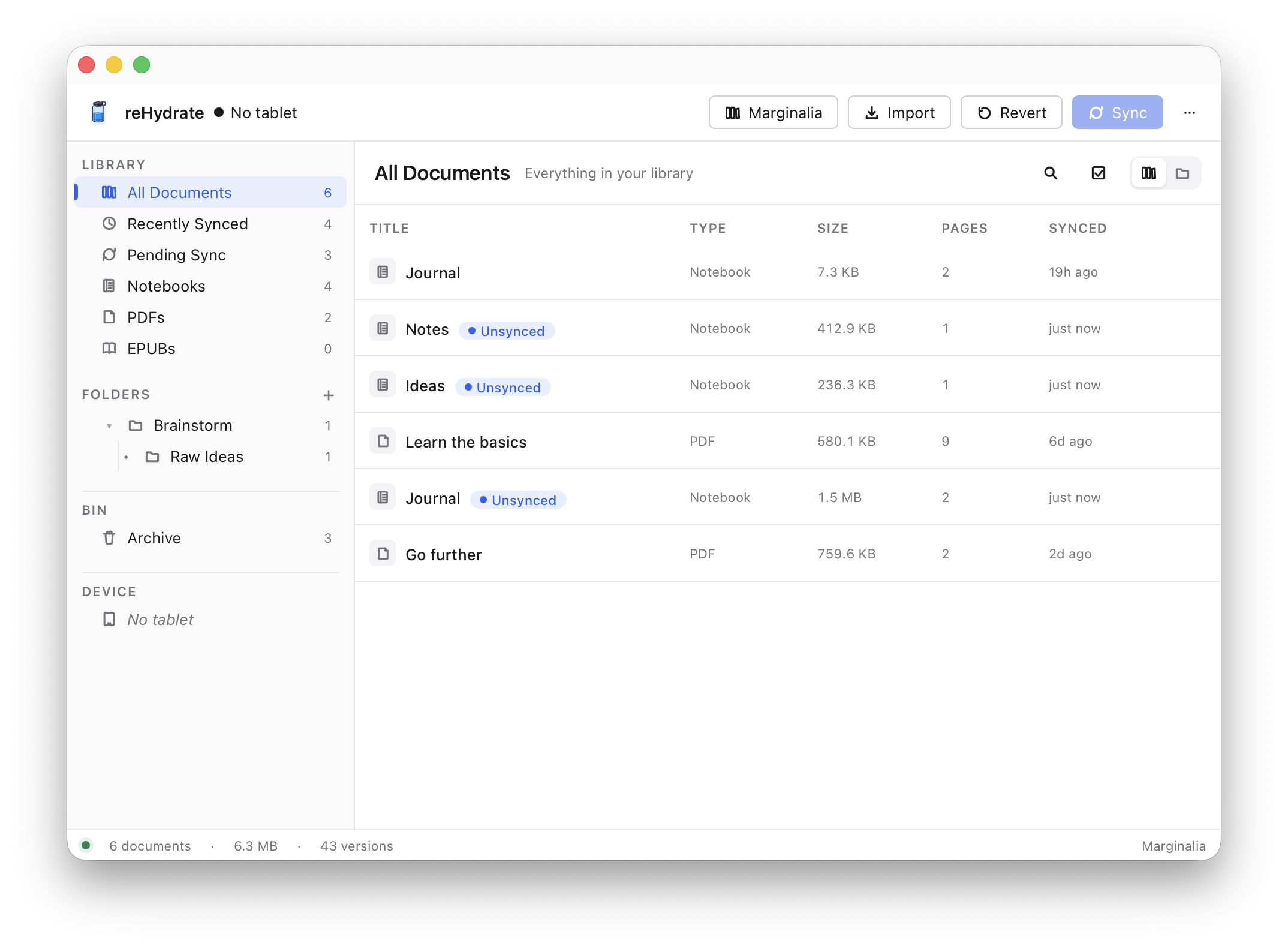
Search across every notebook. Organise them into folders. Open
any document as a sharp PDF — pens, fineliners, markers, and
highlighters all rendered crisply, ready to print or share.
Every sync keeps a snapshot. Decided you preferred last week's
draft? Open the history view and restore it.
Think with your hand. Publish anywhere.
Most of us create on a glowing screen now — straight into a
browser tab, with notifications buzzing in the corner and the
next link a click away. The thought you almost had gets buried
before you finish it.
Writing by hand is the opposite. Ink on a page. Nothing to
switch to. No autocomplete second-guessing the sentence you
started. It's a different — and quieter — way of thinking, and
the ideas that come out of it tend to be the ones worth keeping.
reHydrate carries those ideas the rest of the way:
Sync your notebook. Right-click any page and let a local
Ollama model turn your
handwriting into Markdown. From the same window, publish
a draft straight to your WordPress or
Ghost site.
Ollama runs on your computer, not in a cloud
somewhere. Pick the model that fits your hardware — a 4B
model fits comfortably on 8 GB of RAM; bigger models do
better on cursive and equations. Your pages never leave the
network you're sitting on.
Idea → ink → transcript → draft. The whole
creative loop, on your machine until you decide to ship it.
Built in the open.
reHydrate is free, open-source software, dual-licensed under
MIT and Apache-2.0. The goal is simple: make a useful, stable
app that other reMarkable owners actually want to use. The
only way that happens is with people sending bug reports,
feature ideas, and the occasional patch.
The whole source tree, issue tracker, and release notes live on
GitHub.
If something's broken, file a bug. If you'd like to see a feature,
open an issue. If you want to send code,
CONTRIBUTING.md
walks you through dev setup, the commands CI runs, and how to
open a pull request. Anything tagged
good first issue
is a fair place to start.